

Description
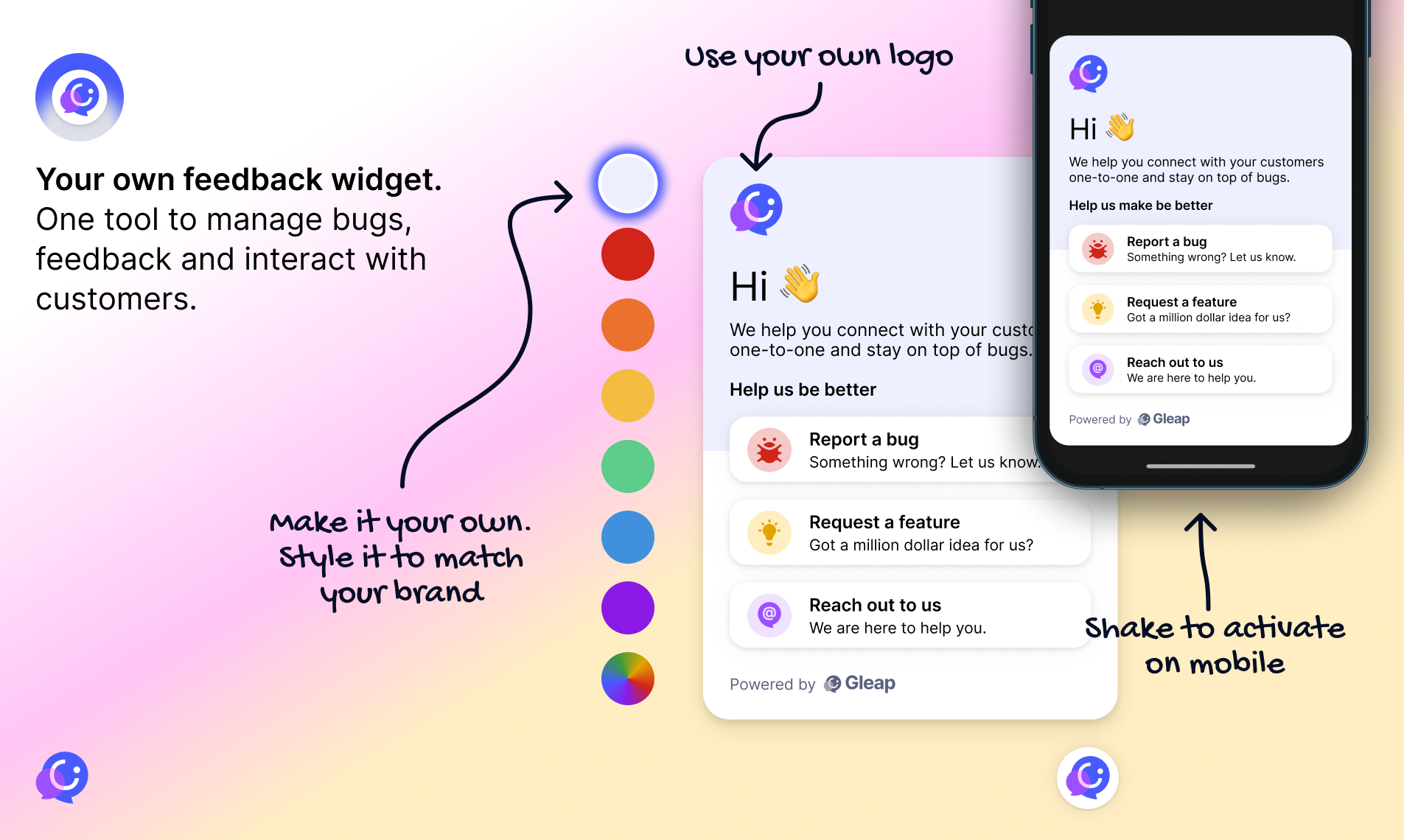
Gleap brings customer support to your WordPress site: a chat widget with Kai, Gleap’s AI support agent, a help center, bug reports with screenshots and replays, feature requests and surveys. All conversations land in one shared inbox for your team.
Install the plugin, click Connect to Gleap, pick your project — done. No keys to copy.
For every WordPress site
- Live chat and AI agent: Kai answers from your help center and hands over to your team when needed.
- Help center: articles your visitors and Kai can search.
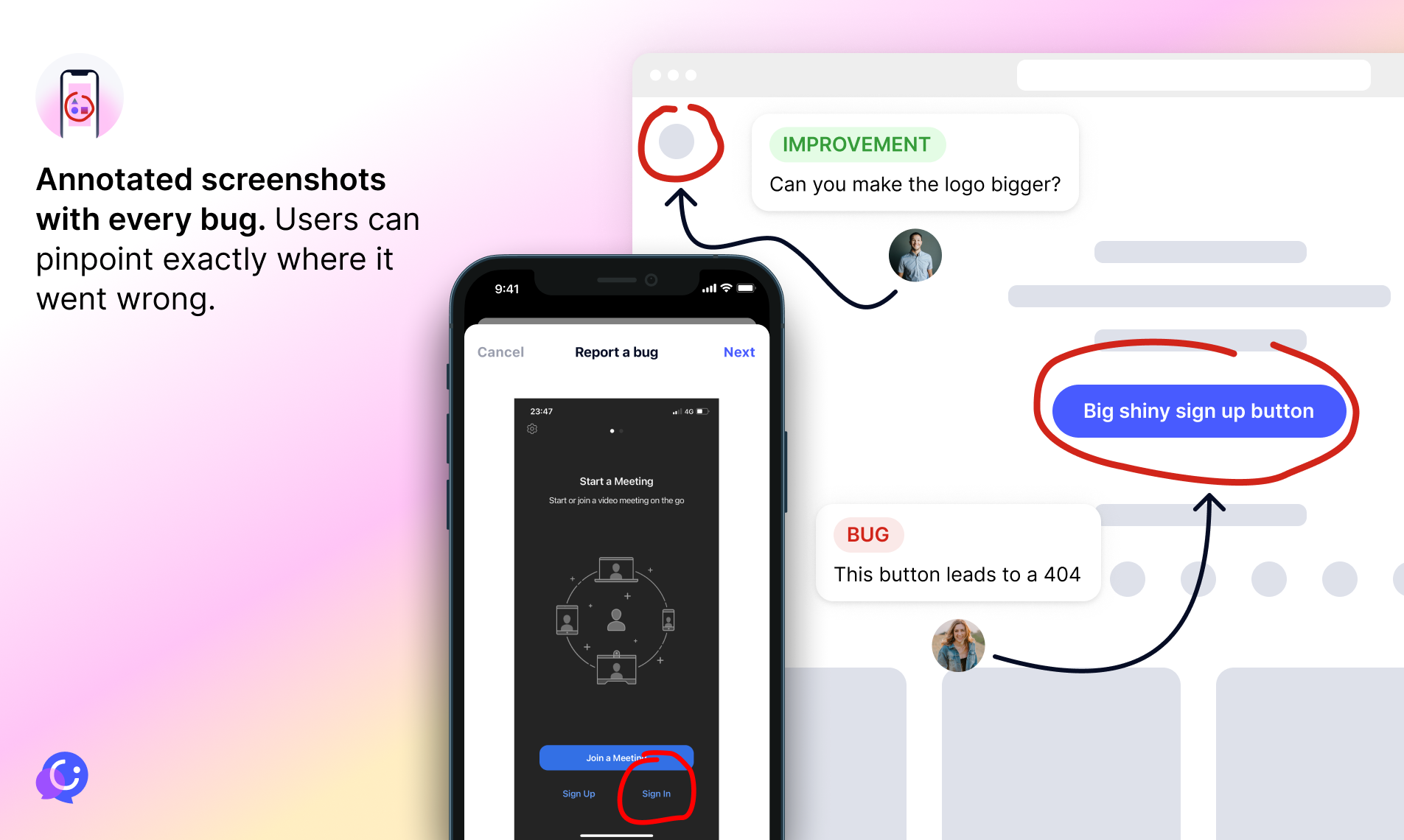
- Bug reports: screenshots, a replay of the last seconds, console and network logs.
- Surveys, feature requests and news right inside the widget.
- Secure identification: logged-in users are signed in to the chat with a signed identity, so they see their past conversations and your team knows who they are.
- Show the widget on the frontend and/or in WP Admin, optionally only for selected user roles. WPML language detection.
For WooCommerce stores
- Order lookups: Kai answers «Where is my order?» with live order data.
- Returns with team approval: Kai can start a return; your team approves it in Gleap.
- Product recommendations and discount codes: each Kai capability is a switch on the plugin page.
- Contact sync: registered customers (name, email, phone, order count, total spent, last order) are kept up to date in Gleap.
- Secure identify: logged-in customers are recognised in the chat with their WooCommerce account.
- Compatible with High-Performance Order Storage (HPOS) and the cart & checkout blocks.
External services
This plugin connects to Gleap (https://www.gleap.ai), a customer support platform.
- Gleap widget — sdk.gleap.io (both regions; there is no regional widget host): on every page where the widget is enabled, the script
https://sdk.gleap.io/latest/index.jsis loaded in the visitor’s browser. It sends the visitor’s messages, feedback and bug reports, and (for logged-in users) their name, email and phone with a signed identity, to Gleap’s API. - Connect — app.gleap.ai: when an administrator clicks «Connect to Gleap», the browser opens the Gleap dashboard with this site’s URL, name and whether WooCommerce is active.
- Gleap API — dashapi.eu.gleap.ai (EU) or dashapi.us.gleap.ai (US): after connecting, the plugin calls the API from your server to finish the connection (sending a one-time code, site URL, WordPress/WooCommerce/plugin versions and, with WooCommerce, the REST API key it created for Gleap), to sync customer contacts (see «What data is sent to Gleap?»), to load the connection status and Kai settings on the plugin page, and to disconnect.
- Event API — api.eu.gleap.ai (EU) or api.us.gleap.ai (US): only if you call
do_action( 'gleap_send_custom_event', ... )from your own code.
Gleap terms of service: https://www.gleap.ai/legal/terms-of-service
Gleap privacy policy: https://www.gleap.ai/legal/privacy-policy
Screenshots




Installation
- Install and activate «Gleap for WordPress & WooCommerce» from Plugins Add New.
- Open Gleap in the WordPress menu and click Connect to Gleap.
- Sign in to Gleap (or create a free account), pick or create a project and confirm. You are sent back to WordPress — the chat is live.
If WooCommerce is active, the same click connects your store: the plugin creates a WooCommerce REST API key for Gleap and starts syncing your customers.
Prefer copying keys by hand? Open «Advanced / manual setup» on the plugin page and paste the SDK key and identity verification secret from your Gleap project settings.
FAQ
-
Do I need a Gleap account?
-
Yes. You can create one for free while connecting — the Connect button takes you to Gleap and back.
-
Does it work without WooCommerce?
-
Yes. On any WordPress site you get the chat with Kai, help center, bug reports, surveys and secure identification of logged-in users. The WooCommerce features appear when WooCommerce is active.
-
What data is sent to Gleap?
-
- The widget (loaded from sdk.gleap.io) sends what your visitors type into it, plus technical data for bug reports (page URL, browser, console and network logs, screenshots and replays when a report is submitted). For logged-in users the plugin passes their name, email and (if set) billing phone, signed with your project secret.
- With WooCommerce connected, the plugin sends for each registered customer: customer ID, name, email, billing phone, number of orders, total spent, currency, account creation date, and the date and number of the last order. Guests are not synced. When a user is deleted, Gleap is told to delete the contact.
- Order details (items, status, shipping, returns) are not copied in bulk: Gleap reads them live through the WooCommerce REST API key the plugin creates, when Kai or your team needs them.
-
How do I disconnect?
-
Open Gleap in the WordPress menu and click Disconnect. The plugin tells Gleap, deletes the WooCommerce API key it created, stops the contact sync and removes the widget. Deleting the plugin does the same and removes all its settings.
-
Is HPOS supported?
-
Yes. The plugin declares compatibility with High-Performance Order Storage and the cart & checkout blocks and only uses the WooCommerce order APIs.
-
Does it work on multisite?
-
Yes. Each site connects to Gleap separately from its own Gleap page.
-
Will my settings from version 13 be kept?
-
Yes. On the first load after updating, your SDK key, secrets, frontend/admin switches and role restrictions are moved to the new settings page automatically.
-
Developer hooks
-
gleap_identify_data(filter): change the data passed toGleap.identify.gleap_modify_token/gleap_modify_identity_token(filters): change the SDK key or identity secret at runtime.do_action( 'gleap_send_custom_event', $event ): send an event to Gleap (needs the secret API token).gleap_customer_event(filter): change the contact data synced for a WooCommerce customer.gleap_backfill_roles(filter): roles imported after connecting (defaultcustomer).
Reviews


Contributors & Developers
“Gleap for WordPress & WooCommerce” is open source software. The following people have contributed to this plugin.
Contributors
Translate “Gleap for WordPress & WooCommerce” into your language.
Interested in development?
Browse the code, check out the SVN repository, or subscribe to the development log by RSS.
Changelog
14.0.0
- New: «Connect to Gleap» — one click links your site to a Gleap project. No more copying keys.
- New: WooCommerce integration in the same plugin — Kai looks up orders, recommends products, starts returns your team approves and shares discount codes (each a switch).
- New: Contact sync for registered WooCommerce customers (Action Scheduler, retries with backoff) and a one-time import after connecting.
- New: Logged-in WooCommerce customers are identified securely in the chat.
- New: Settings page under Gleap in the WordPress menu with connection status, «Open Gleap inbox», Reconnect and Disconnect. Old settings are migrated automatically.
- New: US data region support for the widget.
- Improved: HPOS and cart & checkout blocks compatibility declared.
- Improved: Removed the Carbon Fields dependency; the plugin no longer ships third-party libraries.
- Security: user data in the widget snippet is now JSON-encoded (fixes a possible script injection through user logins); logins starting with the reserved «woo-» or «shopify-» prefixes are never signed.
- License changed to GPLv2 or later.
- Tested with WordPress 7.1 and WooCommerce 11.2.
13.0.10
- Stability improvements.
13.0.8
- Added feature to restrict Gleap widget visibility by user role and for frontend/backend separately.
13.0.7
- Updated plugin dependencies for compatibility with latest PHP versions.
13.0.6
- Added option «Activate Gleap widget in Frontend».
13.0.5
- Tested up to WP Version 6.7.2.
13.0.4
- Added option «Activate Gleap widget in WP Admin».
13.0.3
- New build system.
13.0.2
- Added action to track events:
do_action( 'gleap_send_custom_event', $event_data );
13.0.1
- Added the
gleap_identify_datafilter to inject custom user data.
13.0.0
- Updated dependencies and introduced WPML language detection.
11.0.1
- Updated dependencies to support WP 6.2 and newer.
11.0.0
- Added permission based widget toggle.
8.0.5
- Improved the settings menu.
8.0.0
- Updated to Gleap Widget 8.0.0.
1.0
- Initial release for WordPress.