Description
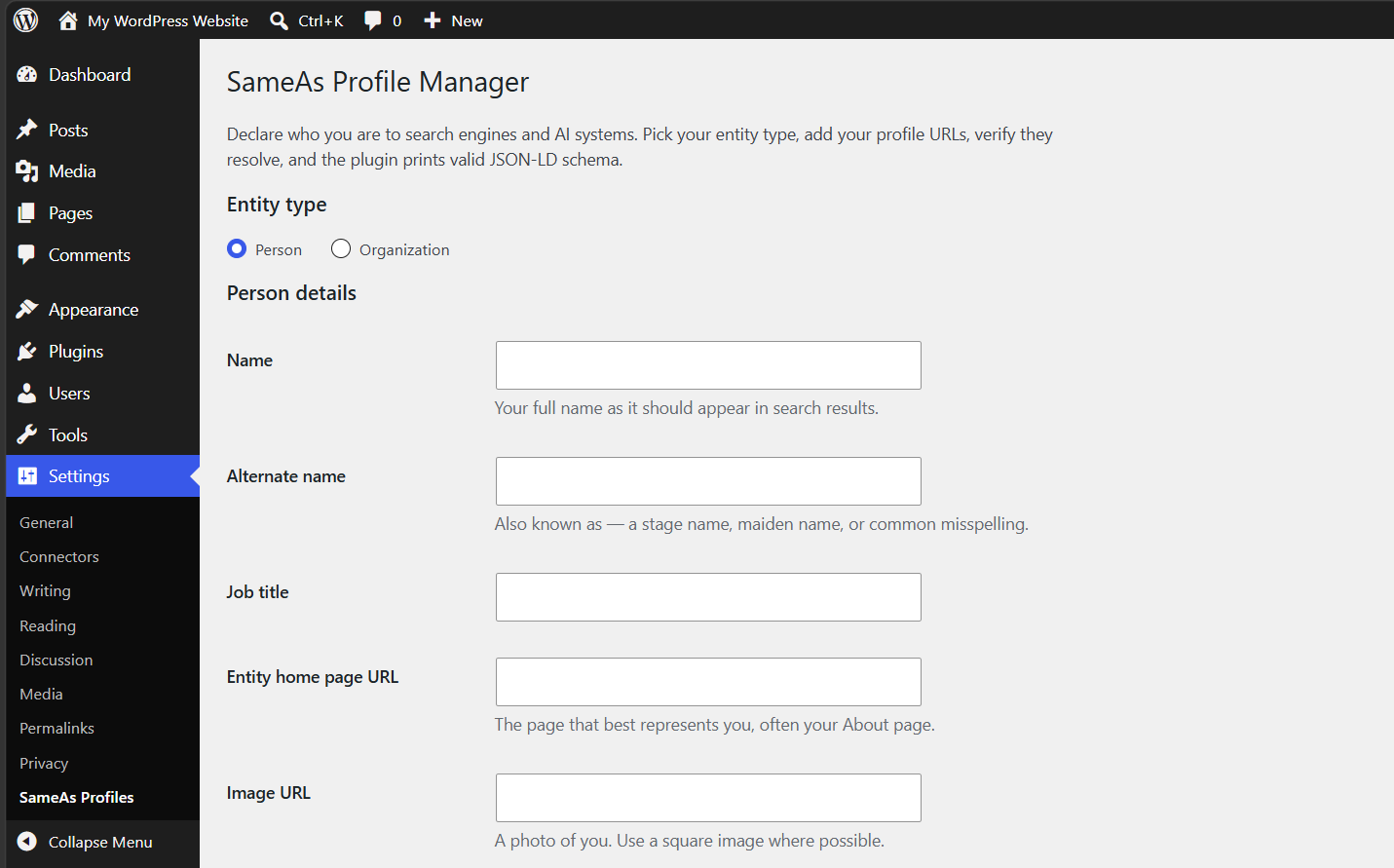
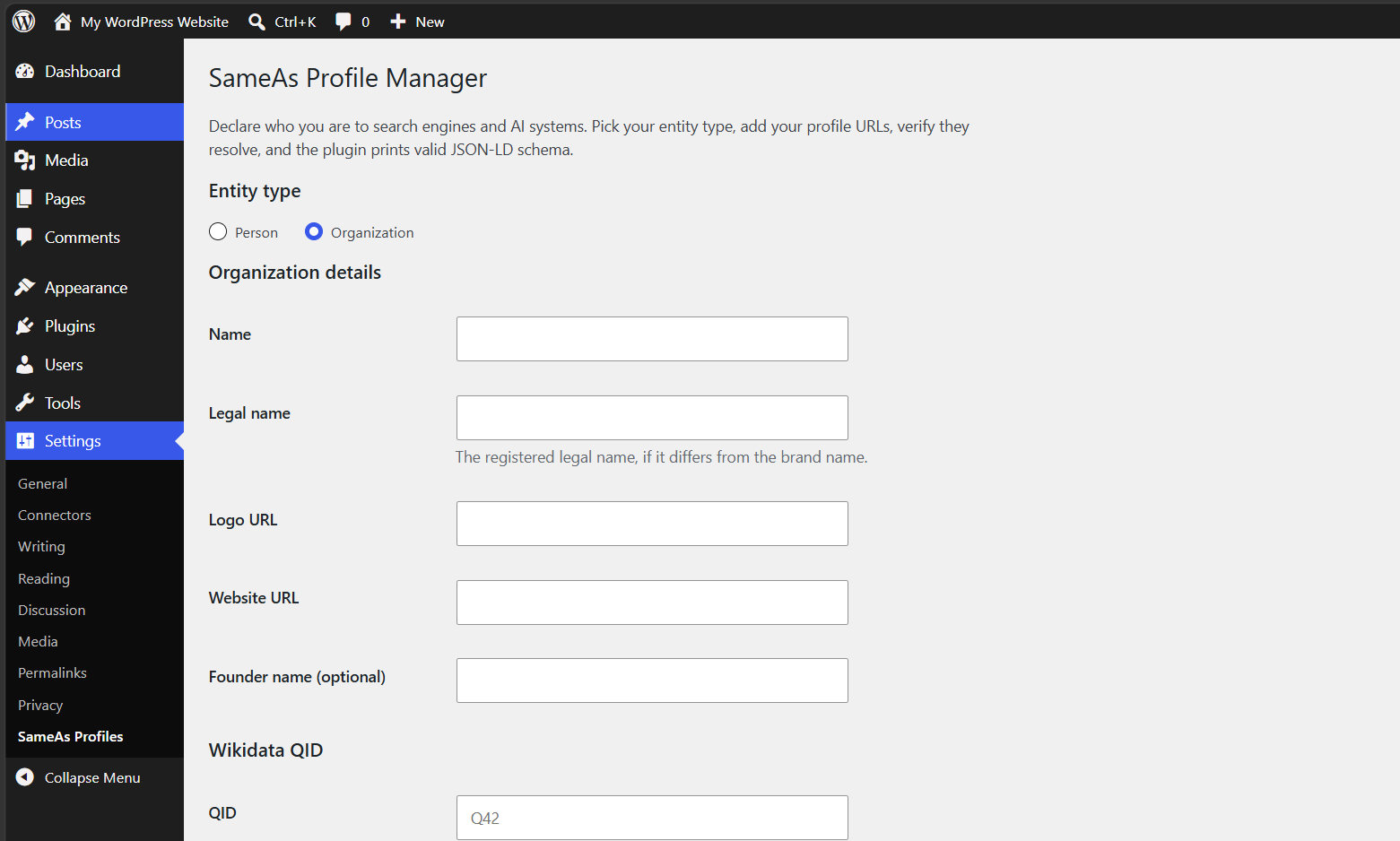
Search engines and AI assistants build a picture of who you are from the entity data on your site. SameAs Profile Manager lets you declare that identity cleanly: pick Person or Organization, paste your profile URLs (LinkedIn, YouTube, X, Wikipedia, Wikidata, or anywhere else), and the plugin prints valid JSON-LD schema with a sameAs array in your site head.
It also includes built-in link verification. One click checks every URL you entered and shows you, per link, whether it is live (green), redirecting somewhere else (yellow, with a one-click «update to final URL» fix), or dead (red). Dead links in your entity data quietly undermine the identity signal you are trying to send — this plugin helps you catch them before they ship.
Features
- Person or Organization entity types, with fields that adapt: name, alternate name, job title, image for people; legal name, logo, founder for organizations.
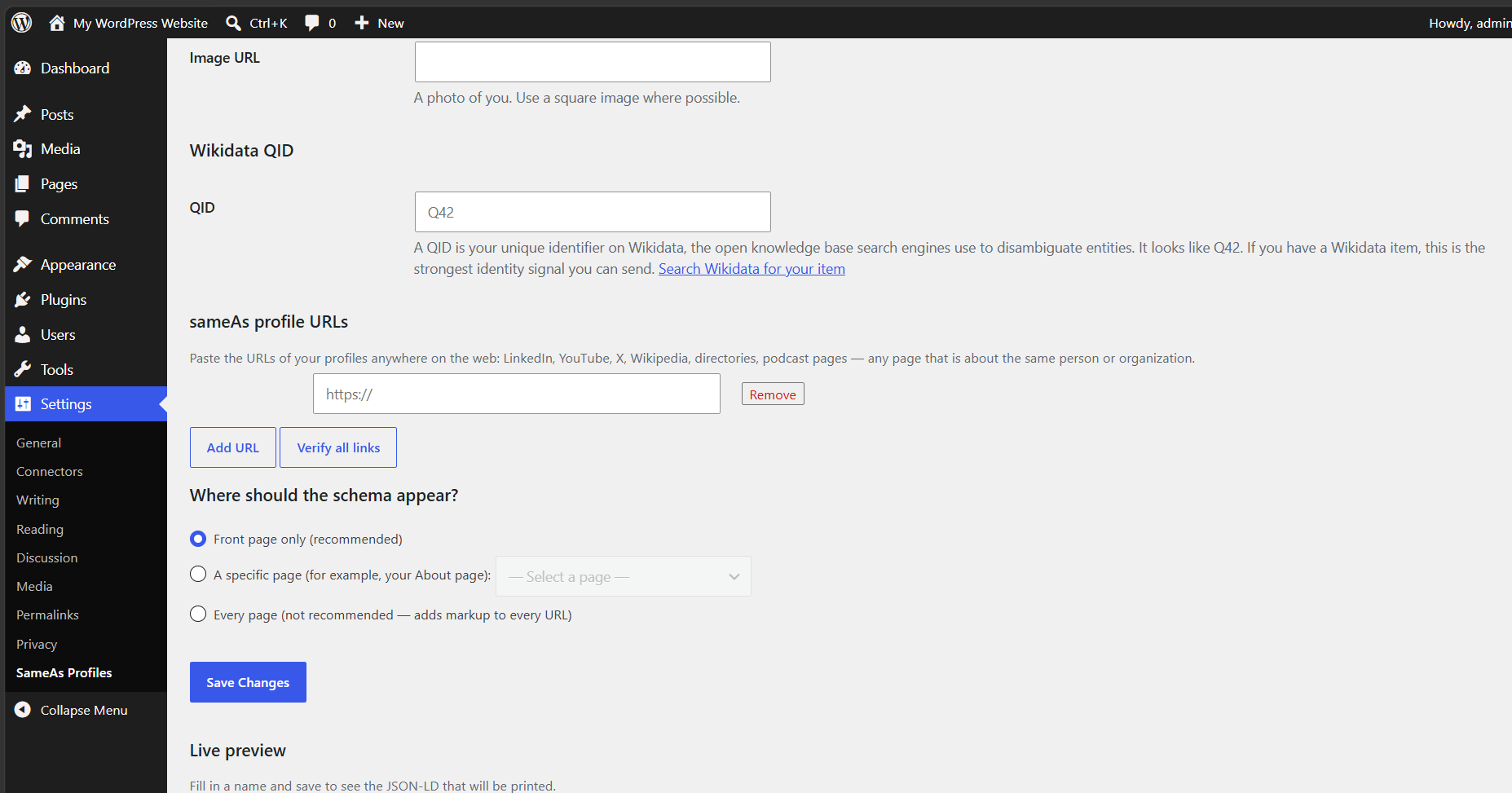
- Unlimited sameAs URLs with automatic platform labels for LinkedIn, YouTube, X, Facebook, Instagram, GitHub, Crunchbase, IMDb, Wikidata, and Wikipedia.
- Dedicated Wikidata QID field — enter your QID (like Q42) and the plugin builds and validates the Wikidata URL for you, adding one of the strongest identity signals available to your sameAs array.
- Link verification — server-side checks with a 5-second timeout following up to 3 redirects, with per-link status and last-checked timestamps.
- Conflict detection — if Yoast SEO or Rank Math is already outputting Person/Organization schema, the plugin tells you and keeps its own output off by default, so you never ship duplicate entity declarations.
- Placement control — output on the front page only (default), on a specific page such as your About page, or sitewide. Conservative by default; no schema bloat on every URL.
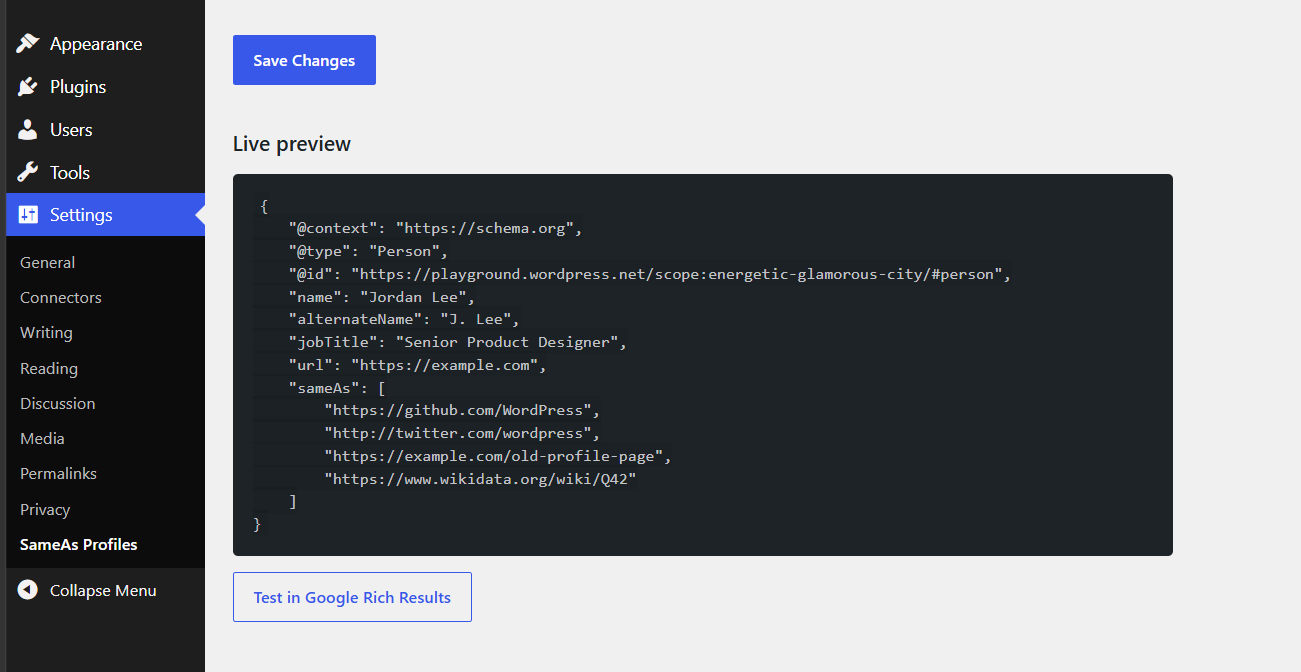
- Live preview — see the exact JSON-LD that will be printed, plus a one-click link to test it in Google’s Rich Results tool.
Privacy and external services
This plugin makes no automatic external requests and sends nothing to us or to any third party. The only outbound requests it ever makes are the link verification checks — HTTP requests from your server to the URLs you entered, and only when you click the «Verify all links» button. No tracking, no phoning home.
Roadmap
- 1.1 — one-click import of existing profile URLs from Yoast SEO and Rank Math settings.
- 1.2 — per-author sameAs for multi-author sites (author archive ProfilePage schema).
- 1.3 — scheduled monthly re-verification with an email alert when a link goes dead.
- 2.0 — multiple entities, publisher markup, and WebSite schema.
Screenshots
Installation
- Upload the
sameas-profile-managerfolder to/wp-content/plugins/, or install it from Plugins > Add New. - Activate the plugin through the Plugins screen.
- Go to Settings > SameAs Profiles.
- Pick Person or Organization, fill in your details, and paste your profile URLs.
- Click «Verify all links» to confirm every URL resolves, then save.
- Use the live preview and the «Test in Google Rich Results» button to confirm your markup validates.
FAQ
-
Does this work with Yoast SEO or Rank Math?
-
Yes — carefully. If either plugin is already outputting Person or Organization schema, SameAs Profile Manager detects it, warns you on the settings screen, and keeps its own output off so you do not end up with duplicate entity declarations. You choose one source. If you prefer this plugin’s output, disable the other plugin’s site representation / Knowledge Graph settings, or tick «Output schema anyway» if you know what you are doing.
-
What is a Wikidata QID?
-
A QID is your unique identifier on Wikidata, the open knowledge base that search engines use to disambiguate entities (for example, Q42 is Douglas Adams). If you or your organization has a Wikidata item, adding the QID is one of the strongest identity signals you can send. The settings page links straight to Wikidata search so you can find yours.
-
Where does the schema appear?
-
By default, only on your front page — a single clean entity declaration where search engines expect it. You can instead choose a specific page (many people use their About page as their entity home) or output sitewide, though sitewide is rarely necessary.
-
Does the plugin call any external services?
-
No. The only outbound requests are the link verification checks, which go from your server to the URLs you pasted, and only when you click «Verify all links.» Nothing is automatic, and nothing is sent to us.
-
What happens when I uninstall?
-
The plugin deletes everything it stored — its single settings option and the verification results — from the database. No junk rows left behind.
Reviews
There are no reviews for this plugin.
Contributors & Developers
“SameAs Profile Manager” is open source software. The following people have contributed to this plugin.
Contributors
Translate “SameAs Profile Manager” into your language.
Interested in development?
Browse the code, check out the SVN repository, or subscribe to the development log by RSS.
Changelog
1.0.0
- Initial release: Person/Organization JSON-LD, sameAs repeater with platform auto-labeling, Wikidata QID field, link verification, Yoast/Rank Math conflict detection, placement control, and live preview.